6:30 pm · Before
The playlist is ready
You put together in Apple Music what should carry the evening — from easy arrivals to the very last song. The QR code for your guests sits printed next to the drinks.
You're celebrating, your guests are requesting songs, and the music still plays exactly the way you want. DJ EXPERIENCE turns your iPhone and Apple Watch into a calm control center for the party music — so you can be the host instead of a full-time DJ.
A good party lives off you: you welcome people, top up glasses, keep the conversations going. Run the music on the side as well and you'll soon spend more time on your phone than with your guests. DJ EXPERIENCE gives you the evening back — here's what it looks like.
You put together in Apple Music what should carry the evening — from easy arrivals to the very last song. The QR code for your guests sits printed next to the drinks.
Aunt Sue wants ABBA, your colleagues want Oasis. Instead of hovering over your shoulder, they scan the code and request their song on their own phone — no app, no account. It all lands in one place for you, duplicates grouped together.
If the song fits, you approve — it plays up next or exactly where the mood is ready for it. If it doesn't, you decline. The music stays yours.
One press on your Apple Watch turns your iPhone into a microphone: one sentence, and everyone hears the announcement over the music. Same for the birthday speech or the heads-up that the fireworks are starting outside.
New requests and the current song show up on the lock screen, in the Dynamic Island and on your Apple Watch. One glance is enough — your iPhone can stay in your pocket.
Every party gets its own playlist and its own QR code. For the birthday in spring you simply create a new one, and the last one stays neatly separate.
In the end you spent the evening with your guests — not with your playlist.
A calm, focused app for a loud job. For you as the host and the guests on the dance floor.
The full Apple Music catalog, live. Play songs now, next, or at the end of the queue, insert at any position.
One QR code per event that never changes. Guests open a web page, search their song, and send the request — no download, no account.
If several guests request the same song, the app shows it as one row. One tap places the song and approves every matching request together.
Current song, next song, and pending request count on the Lock Screen and in the Dynamic Island — shown large in StandBy while charging.
Start an announcement with one press on your wrist, then speak into your iPhone. Complication shows the current song and pending requests on the watch face.
Layer your microphone over the playing music for announcements between songs — without interrupting playback.
A built-in board for effects and sounds, always within reach next to the playlist.
Manage each event with its own playlist and its own QR code — a wedding on Saturday, a birthday on Sunday, cleanly separated.
Every event is separated from every other by its own cryptographically signed identifier. Guests can't see each other, and rate limiting protects against spam.
DJ EXPERIENCE doesn't just live on the iPhone. On the Lock Screen, on your wrist, and on every guest's phone.
Print it once, use it all night. Guests open a web page, no download, no account.
Scan the code →
  Search a song → Send request
Current song, next song, and pending requests right on the Lock Screen and in the Dynamic Island — no need to open the app.
♪ Now: Blinding Lights
  Next: As It Was
  3 requests pending
Starts announcements over the music with one press, your iPhone is the microphone. Complication shows the current song and pending requests right on the watch face.
Watch face complication
  Blinding Lights · 3 requests
Four screens, one promise: no distraction from the evening. The Henry Bauer design system makes room for the task.
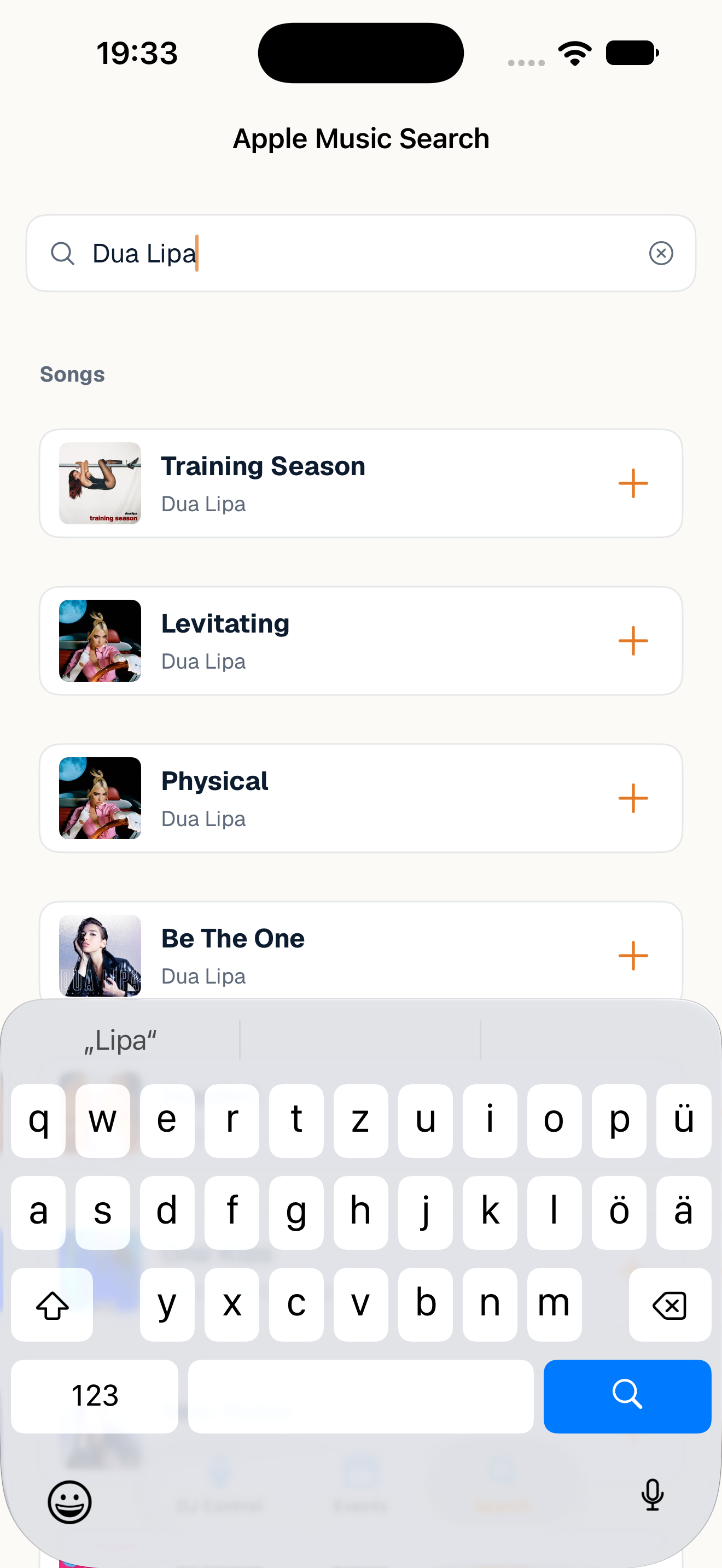
Search Apple Music live and place songs in the queue — now, next, or at the end.
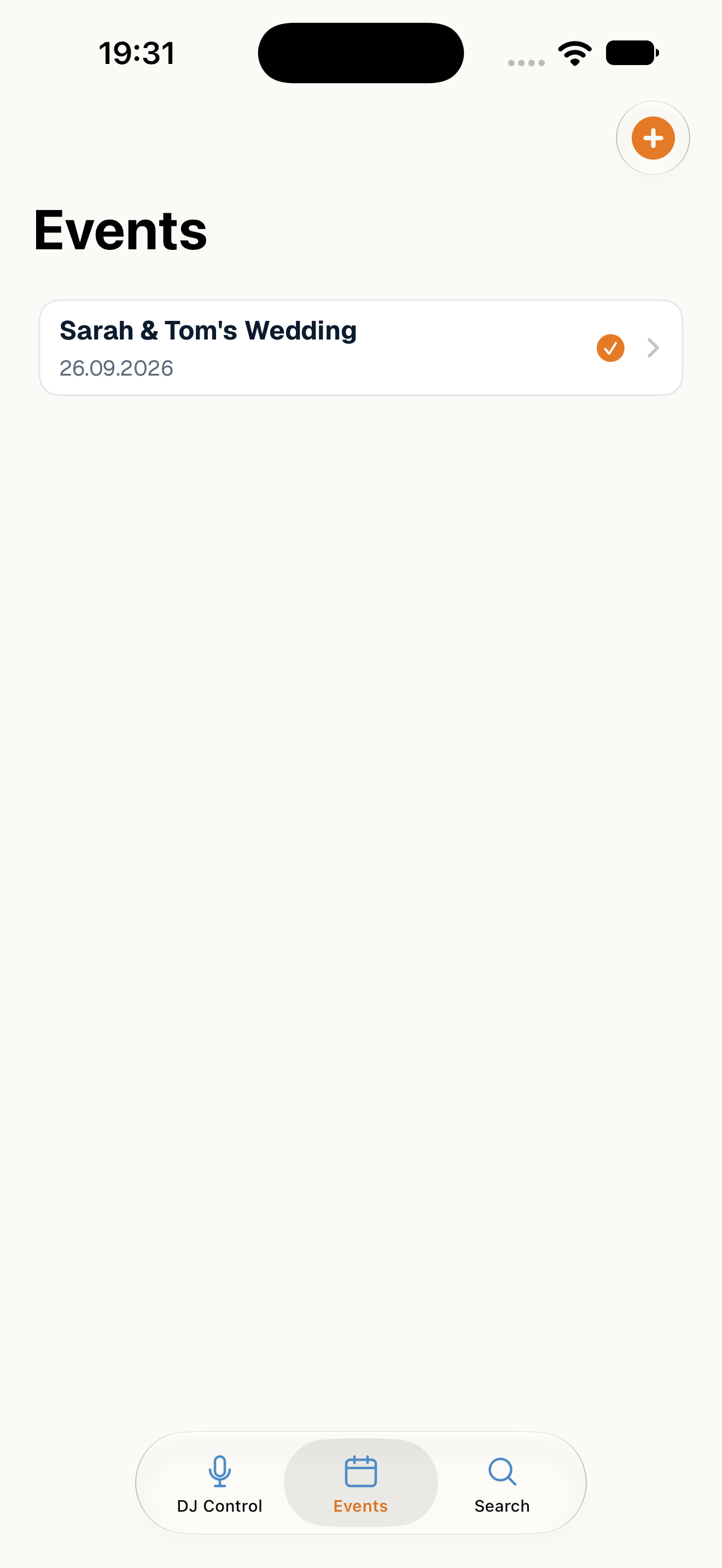
Manage multiple events, each with its own playlist and its own QR code — cleanly separated.
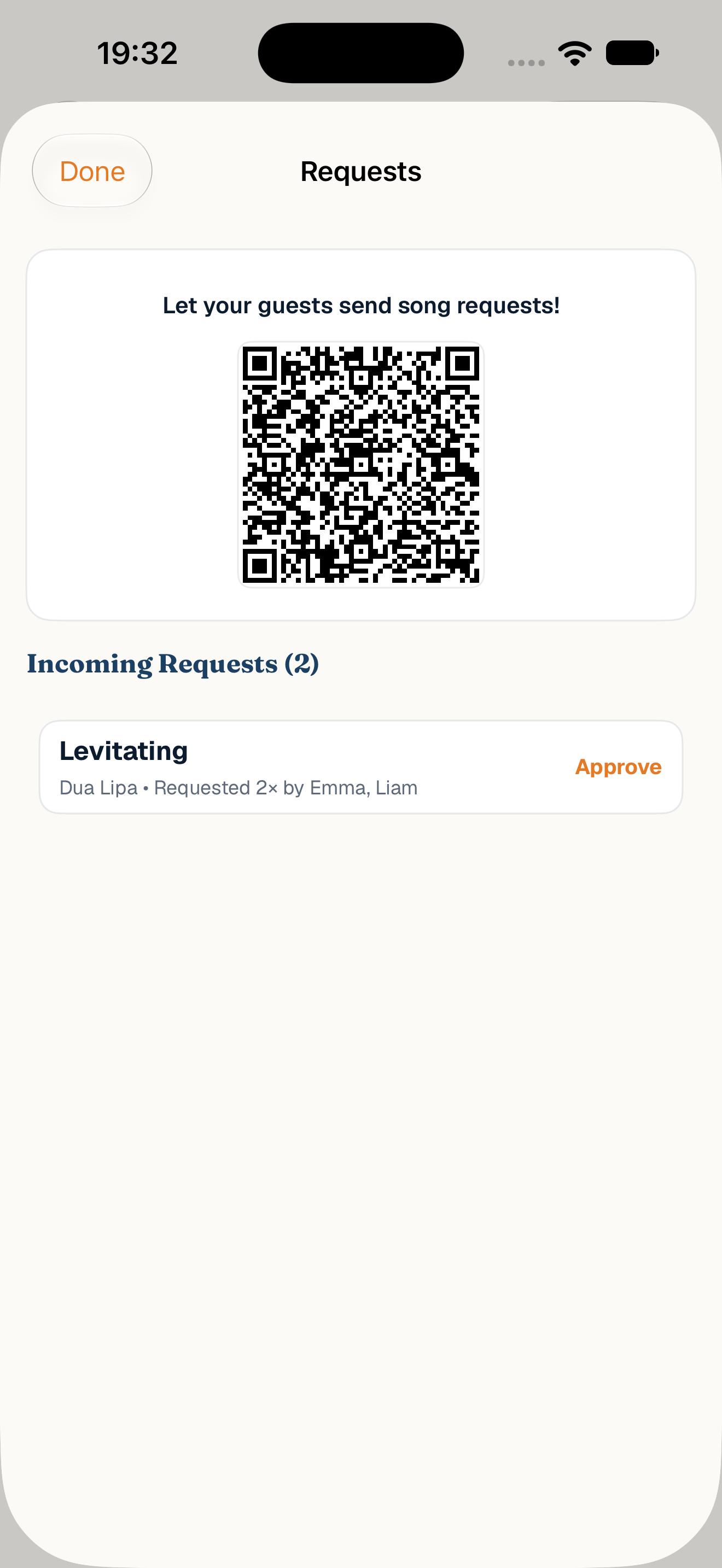
If several guests request the same song, the app shows it as one row — "Requested 3× by …".
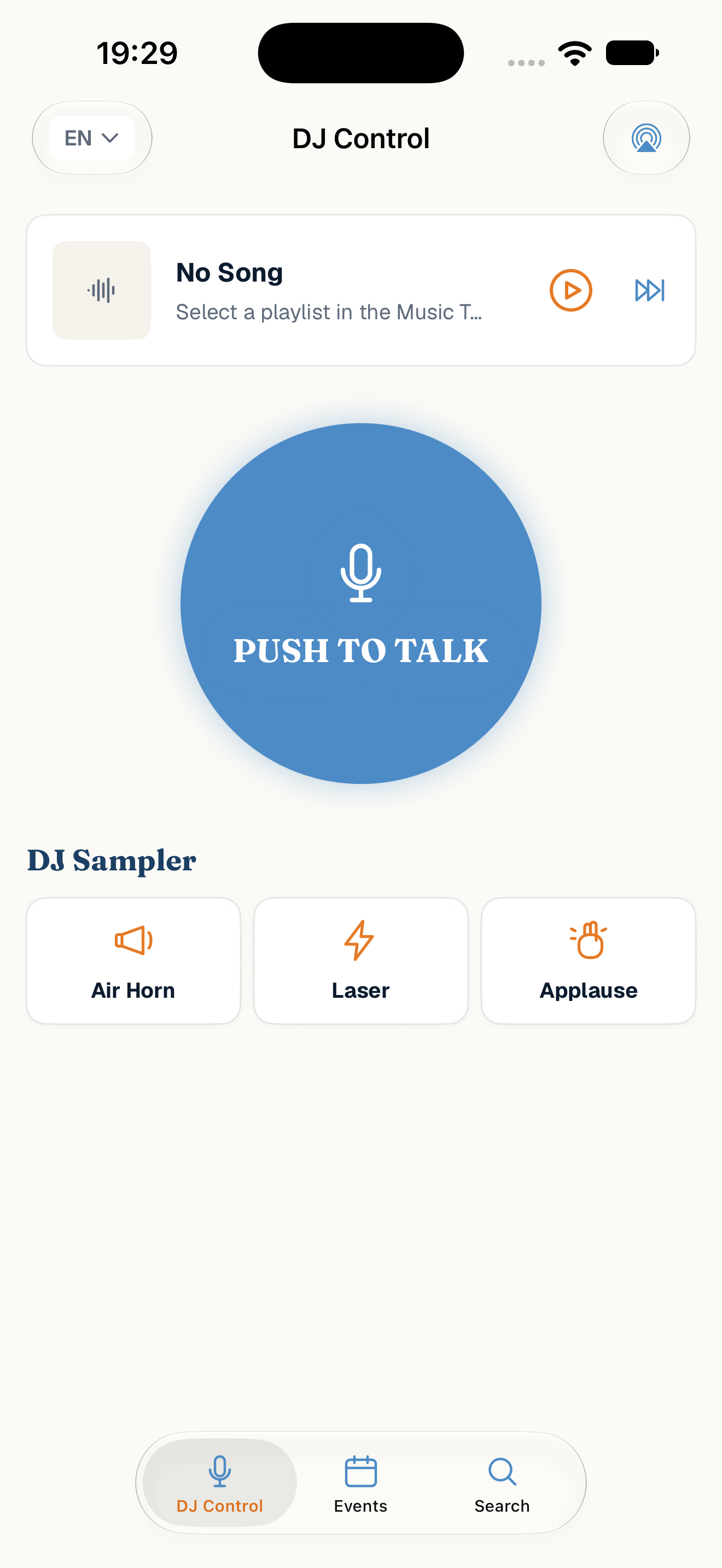
Announcement microphone, soundboard, and full playlist control in one place.
No. Guests scan the event's QR code and open a regular web page — over their own mobile connection or any Wi-Fi, not just the venue's. There's nothing to install and no account to create: enter a name, search a song, send the request. The earlier local Wi-Fi portal was deliberately replaced for this reason.
If several guests request the same song, DJ EXPERIENCE automatically merges them into one row and keeps count of how often and by whom it was requested. One tap places the song in the playlist and approves every matching request together — instead of working through the same title multiple times.
Every event is separated from every other by its own cryptographically signed identifier — one event can never read or modify another event's requests. Guests can't see each other, and rate limiting protects against spam. Details on what's stored are in the privacy policy.
SharePlay in Apple Music works well when every guest has an Apple device: whoever scans the code and gets accepted adds songs straight to the queue. DJ EXPERIENCE is for the evening when the music should stay in your hands. Guests only need a browser, Android phones included and no Apple Account required. Every request comes to you first, and you decide whether and where it plays. On top of that: announcements over the music and requests on your Lock Screen and Apple Watch.
One-time purchase on the App Store · $4.99 · No subscription · No ads · Apple Music subscription required